ParallaxTV turns the library on your Plex, Jellyfin, Emby or
Kodi server into numbered TV channels with a program guide. Pick a
channel and something is already on, partway through, just like broadcast
TV. No more scrolling a wall of posters trying to decide.
Everything happens on the TV. There is nothing to
install on your server and no account to create.
Connect your server
Link Plex with a code on your phone, or sign in to Jellyfin, Emby
or Kodi. Pick the libraries to use.
Get a lineup
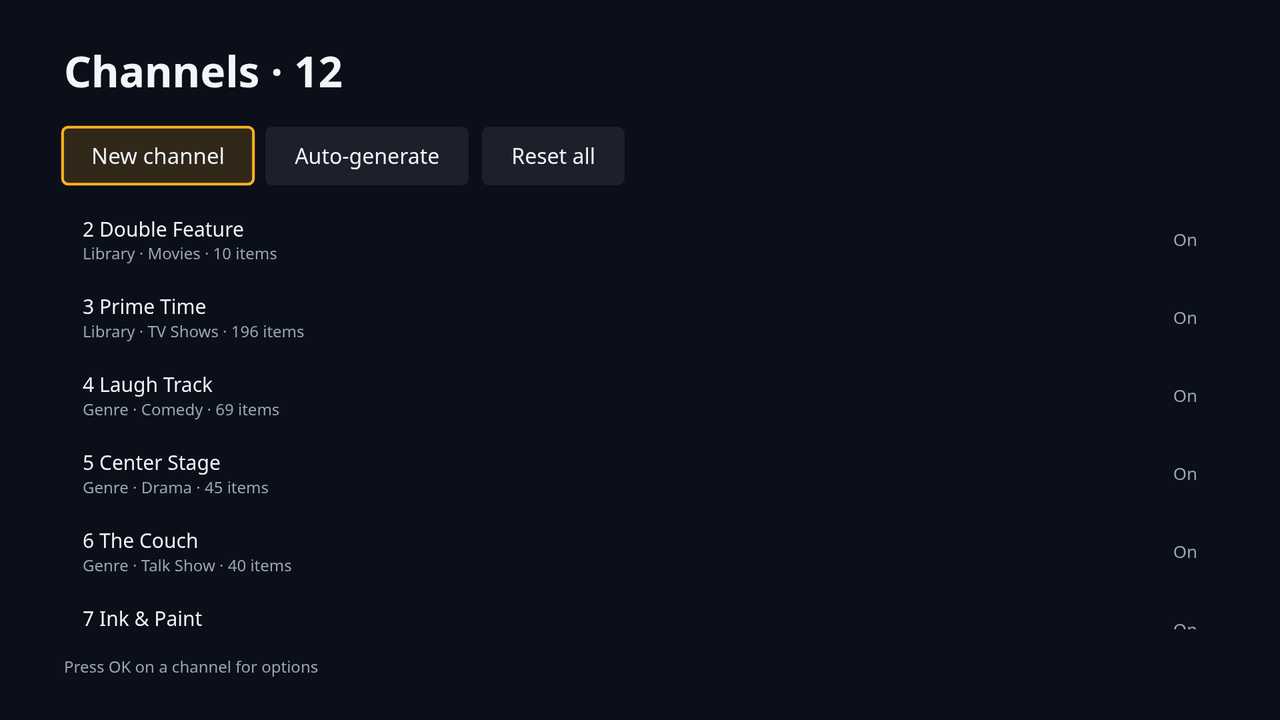
ParallaxTV builds a starter set of channels from what you have:
movies, comedy, drama, a channel for a favorite show.
Change the channel
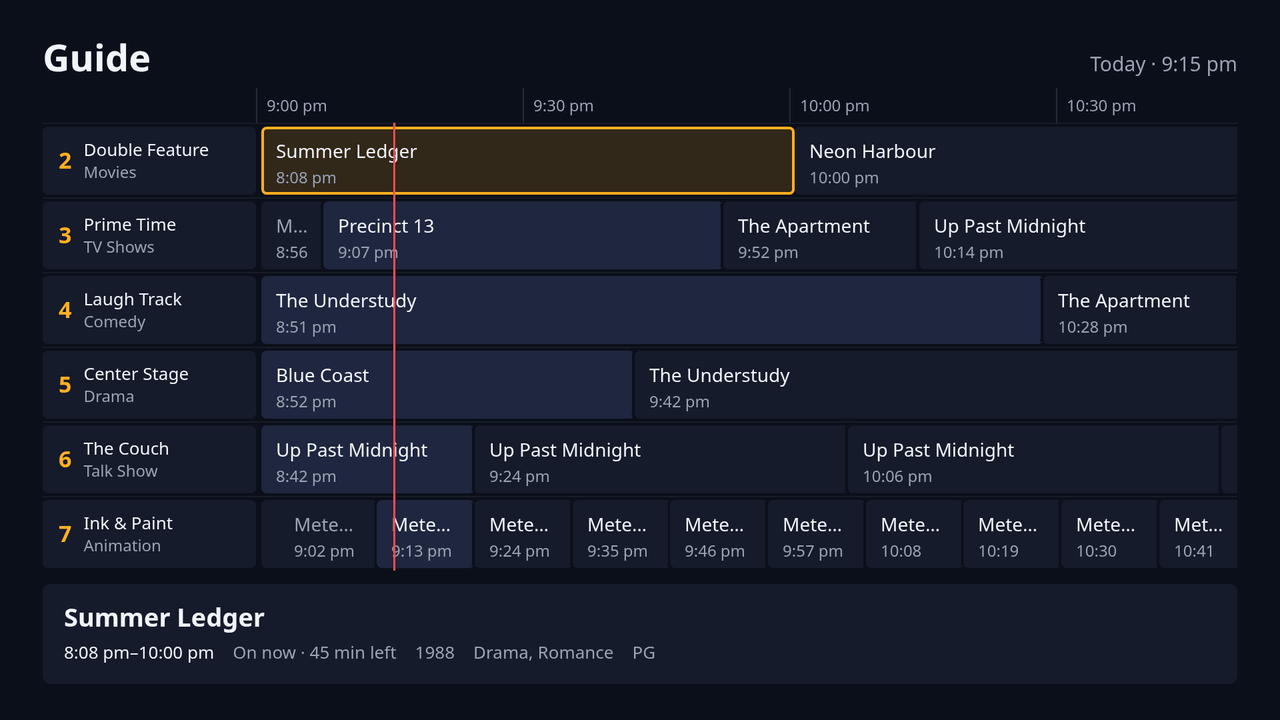
Channel up and down, type a number, or open the guide to see what's
on now and next. Every channel keeps running while you're away.
Make any channel you like
Keep the starter lineup, or build channels around
whatever you feel like watching.
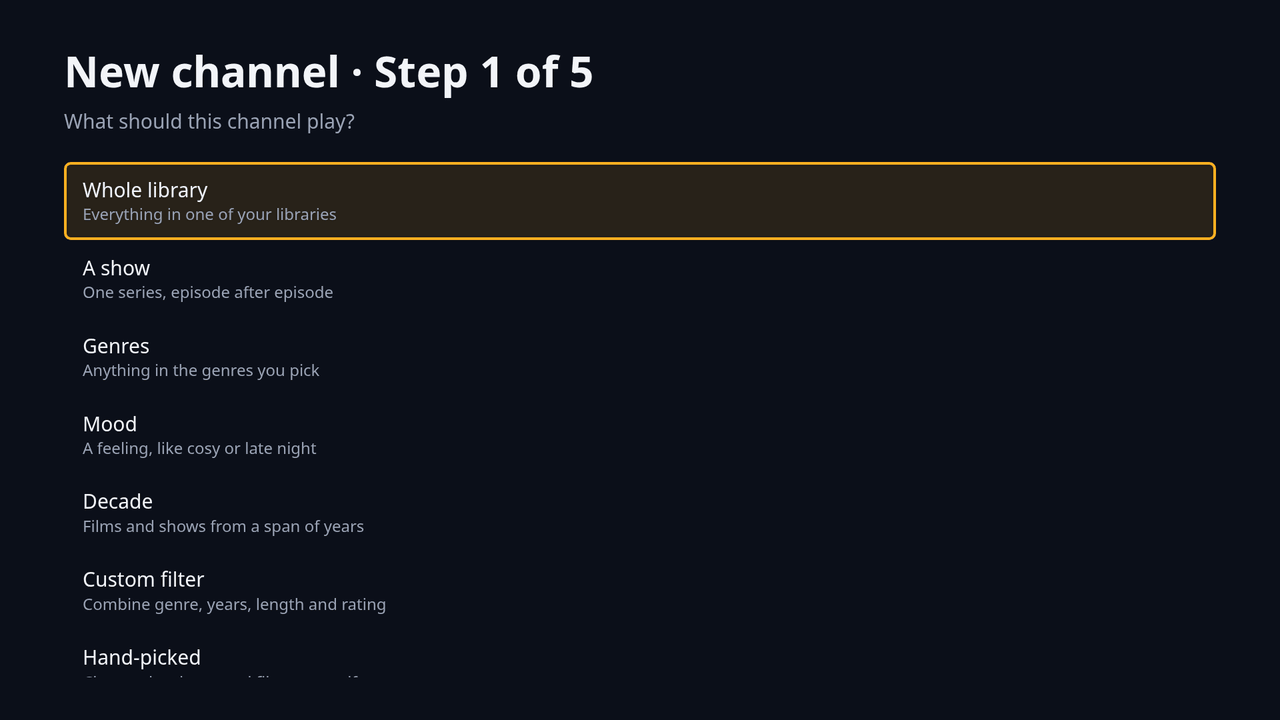
A whole library, one show, genres, a mood, a decade, or your own picks
Number, rename, reorder and switch off channels
What it does
Feels like real TV
Tune in and a program is already partway through
Program guide for the next 24 hours
Channel banner with what's on now and next
Direct channel numbers from the remote
Works with your server
Plex, Jellyfin, Emby and Kodi, several at once
Plays files as they are when the TV can, and asks the server to convert them when it can't
Captions, including ones the server burns in
Optionally shows up under Now Playing on your server
Channels your way
By library, show, genre, mood or decade
Custom filters on genre, years, length and rating
Episodes in order, shuffled, or a classic mix of shows
A day that starts when you choose
Made for the remote
Arrow keys and OK everywhere
Point and click with the LG Magic Remote
Text sized to read from the couch
Privacy, plainly
No ads. No analytics. Your library and what you
watch never leave your home network.
The TV talks straight to your own media server. Your server's
address and sign-in stay on the TV, and nothing about what you watch
is sent to us.
If you buy Pro, we keep the email address you pay with so we can
send your license key, and a short list of the TVs it is used on.
Stripe handles the payment; we never see your card. Everything is
spelled out in the privacy policy.
Free, with a one-time Pro upgrade
No subscription. Pro is bought once, on your phone or
computer, and covers up to five TVs in your household. Not happy? Ask
within 14 days for a full refund (terms of sale).
Free
Everything you need for a lineup of your own.
Up to 8 channels
The program guide
Every kind of channel, and the starter lineup
Plex, Jellyfin, Emby and Kodi
Pro, one-time purchase
For the full broadcast feel, and every TV in the house.
Unlimited channels
Commercials, bumpers and station idents between programs, from your own clips, with shows starting on the half hour
Every TV in the house shares one channel lineup and stays on the same moment of the same program, to within a second
Kids mode: children's channels only, locked with a PIN
Live channels from your own IPTV playlist, in the same guide
Color themes: Broadcast, Phosphor, Velvet and Graphite, plus genre themes for Horror, Adventure, Mystery, Sci-Fi, Western and Fantasy
Going further: the ParallaxTV Hub
An optional companion you run in Docker on a PC or NAS.
You don't need it to use the app. How to set it up.
Folders as libraries
Point it at movie and TV show folders on a PC or NAS, and play them
without a media server.
Commercials from a folder
Drop your own clips into a folder and Pro channels play them
between programs.
Your channels in other apps (Pro)
An M3U playlist and XMLTV guide for IPTV player apps, and a tuner
that Plex and Jellyfin Live TV can add.
What you need
An LG smart TV with webOS, tested on webOS 6 (2021 models), or a
Samsung smart TV from 2017 on (Tizen). On 2017 Samsung models the app
shows its standard look; the color themes need a 2018 model or
newer.
Your own Plex, Jellyfin, Emby or Kodi server on the same network,
with movies or shows on it. ParallaxTV doesn't come with any content.
ParallaxTV's guide lives in the app. LG doesn't let apps
add channels to the TV's own built-in guide, so the Hub offers an IPTV
playlist and guide for apps that can use one instead.
Who makes it
ParallaxTV is made by the
Free Radicals Group, a small independent studio.
Setting up or stuck? The help page covers installing,
connecting your server, Pro and common problems.
Questions, bug reports and ideas are welcome, and a person reads every one:
support@freeradicalsgroup.com.